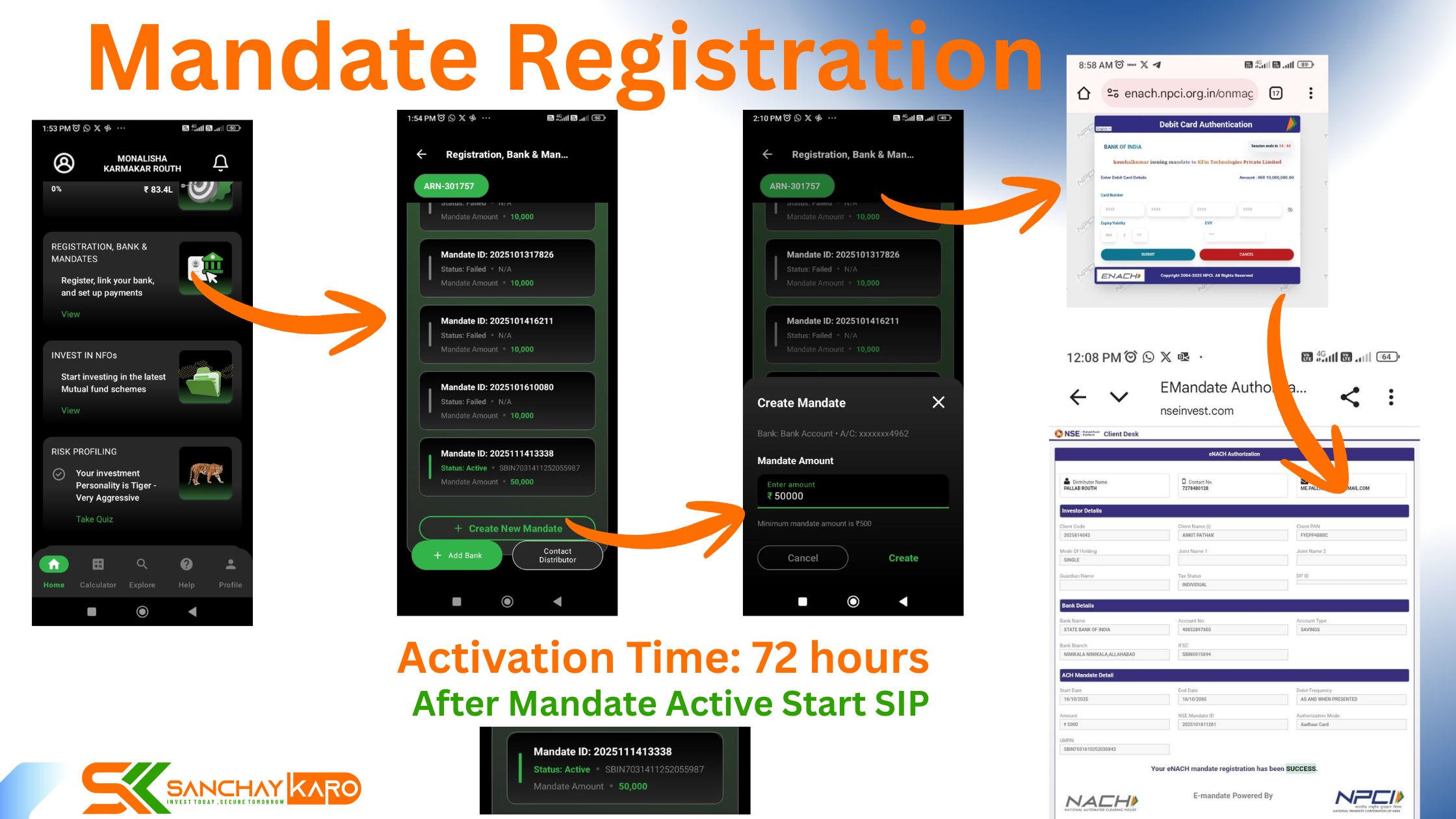
Tired of manually transferring money every month for your SIP? What if you could set up your investments once and watch them grow automatically, without lifting a finger? With the Sanchay Karo app, you can do just that!
The magic behind this hands-free investing is a simple yet powerful feature called a Mandate. If you’re new to systematic investing, don’t worry. This guide will walk you through everything you need to know about Mandate Registration in Sanchay Karo App in minutes.
With out Mandate registration SIP can not be Started
What is a Mandate, and Why Do You Need One?
In simple terms, a mandate is an electronic permission slip you give to your bank.
This authorization allows your mutual fund (via Sanchay Karo) to automatically debit a specific amount from your bank account at scheduled intervals to fund your Systematic Investment Plan (SIP).
Think of it as a standing instruction, but more secure and standardized. Instead of you having to remember and initiate each payment, the mandate ensures your SIP installments are invested on time, every time, without any manual intervention. It’s the key to a truly disciplined and hassle-free investment journey.
The Quick & Easy Mandate Process in Sanchay Karo
Setting up a mandate with Sanchay Karo is a straightforward process designed for your convenience. The best part? You only need to do this once for a bank account, and you can use the same mandate for multiple SIPs.
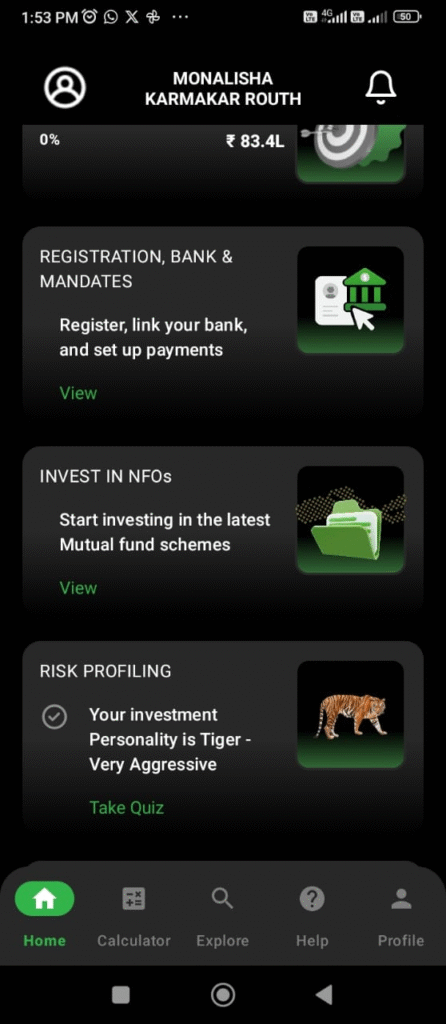
Here’s a step-by-step breakdown:
Step 1: Click on Registration,Bank & Mandates
Click on above option View link , Enter Max amount for your Future investment & Click on Create option .

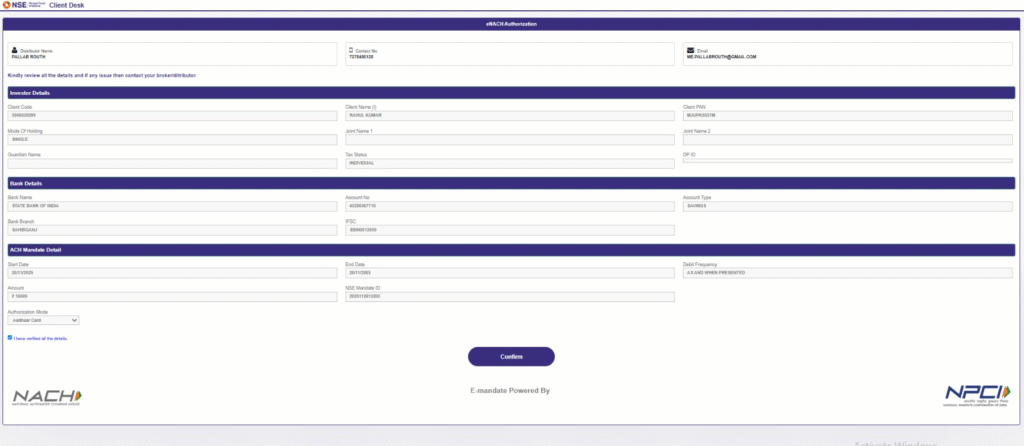
Step 2: Redirected to NPCI Site
Apps will redirected to NPCI page & there willbe showing Credit card, Debit Card & aadharcard Option . Select any one option & click on Confirm .
Type your Aadharcard Number & click on Submit botton.
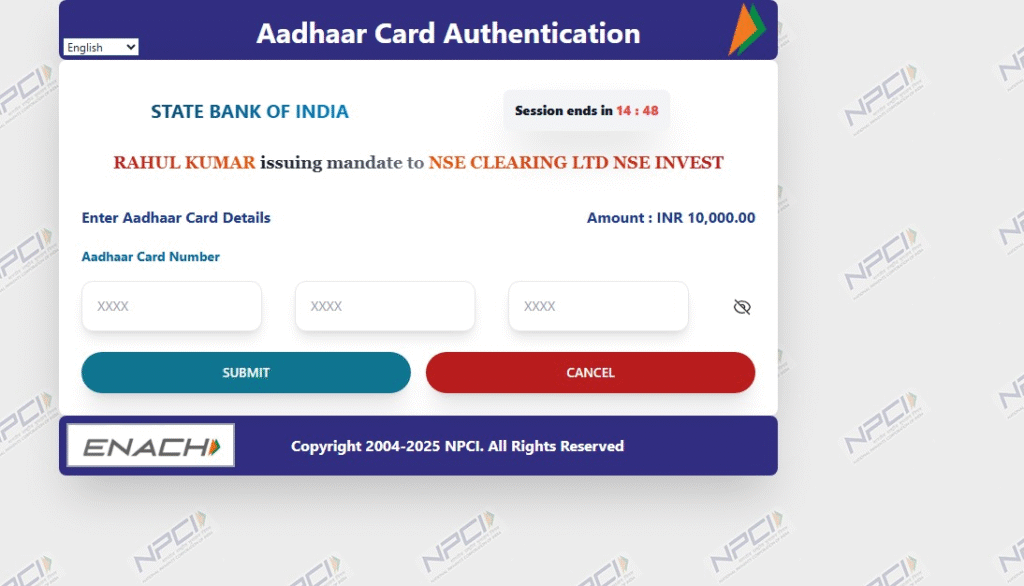
Pest OTP which you recived in Mobile , Type & click on Submit

Step 3: Authenticate with Your Bank Successfully
After That This type of page will open & below Will be showing “Your eNACE Mandate registration has been Success”
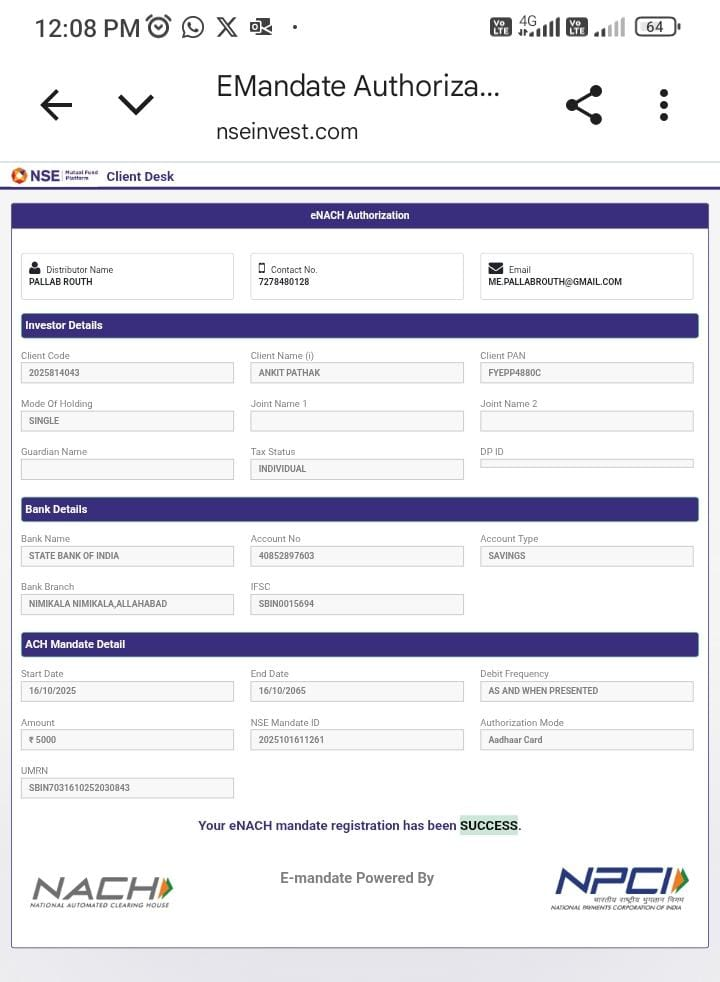
And you’re almost done!
A Quick Note on Activation Time
Once you successfully authenticate the mandate, it is sent to your bank for registration. This is a standard security measure.
The mandate typically gets activated within 48 to 72 hours. This time allows your bank to verify and securely register the debit instruction. You will receive a confirmation once it’s active.
You’re All Set for Smart Investing!

Once your mandate is activated, you are ready to start your XSIP (Extended Systematic Investment Plan) seamlessly.
Your investments will now be debited automatically according to your SIP schedule, ensuring you never miss a chance to grow your wealth.

By setting up a mandate, you are not just simplifying your investments; you are building a robust foundation for your financial future with discipline and ease.
Ready to automate your investment journey?
Download the Sanchay Karo app today and create your mandate in just a few taps!👇
📲 Android: https://play.google.com/store/apps/details?id=com.rrabbit.sanchaykaro&pcampaignid=web_share
📲 Apple: https://apps.apple.com/in/app/sanchay-karo/id6755289848